STARTER
Editable Vite + Three.js project with a procedural object, responsive sections, pointer and scroll response, reduced-motion behavior and fallbacks.
 MALQFACE VAULT
MALQ LEARN / FIELD GUIDE 02 · WEB SYSTEMS
A working 3D website starter and the process to shape it: plan the system, build a first version, inspect it and iterate with purpose.
GET THE BLUEPRINT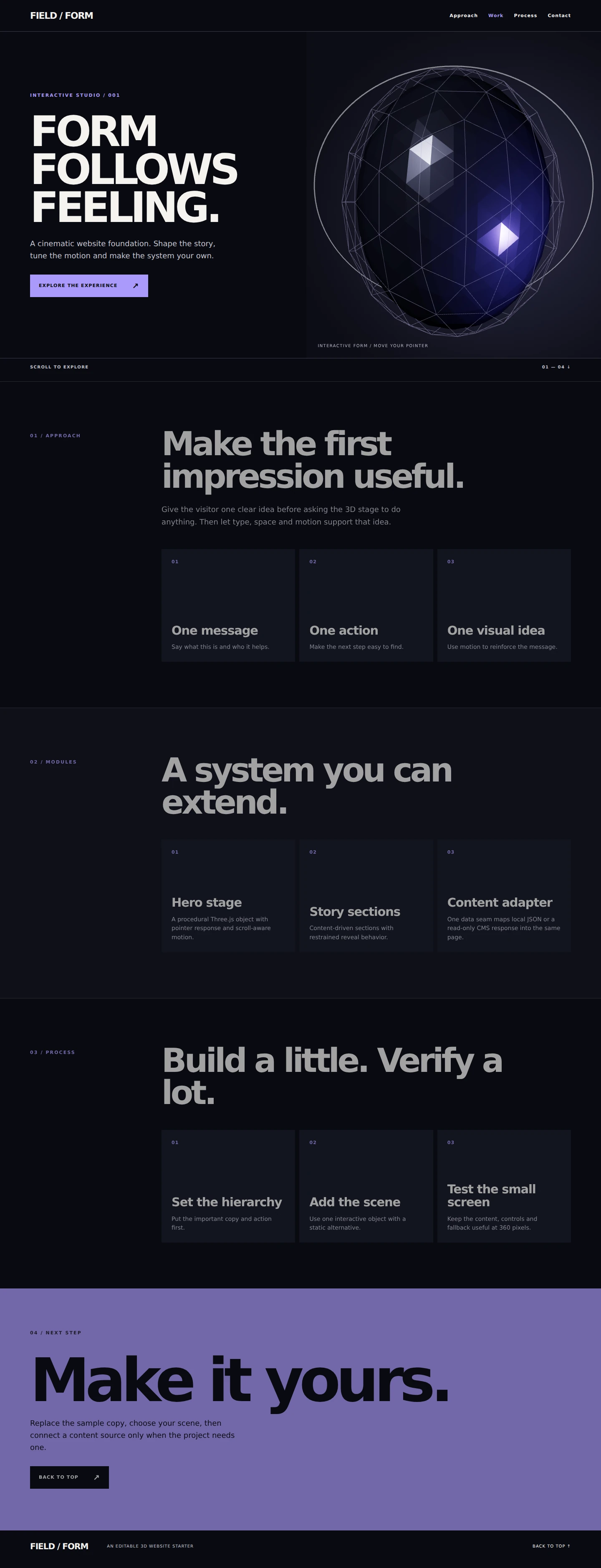 STARTER PREVIEW / DESKTOPFIG. 01 — INTERFACE + SCENE
The value is in the combination: a running project you can open, a workflow for making decisions, and focused references for the parts that usually take trial and error.
Start with the supplied content and procedural scene. Then replace the words, palette, sections and object to fit your own brand and audience.
SEE EVERYTHING INCLUDED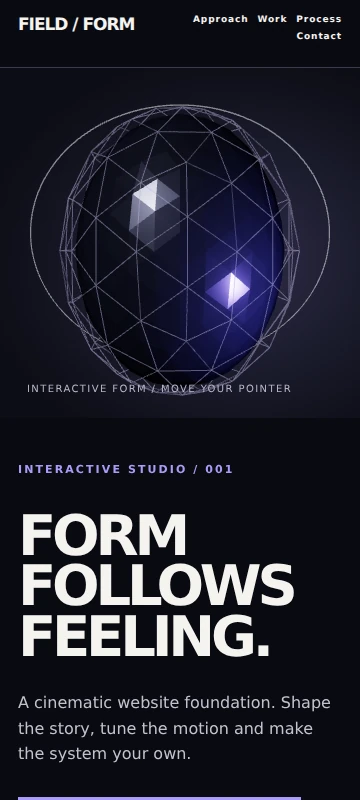
Content remains HTML. The scene enhances the page; it does not hold the message hostage.
Editable Vite + Three.js project with a procedural object, responsive sections, pointer and scroll response, reduced-motion behavior and fallbacks.
A 30-page visual field guide to the decisions behind a cinematic, usable, production-minded website.
A concise master build prompt and 13 focused iteration prompts for specific classes of work.
Setup, 3D motion, CMS/data, performance and deployment guidance, plus license and third-party notices.
A real development account of brief → first build → inspect → targeted change → verify.
Also included: performance checklist, deployment checklist, README, licenses and third-party notices.
 POINTER RESPONSE / AUTHENTIC TEST FRAME
04 / MOTION WITH A JOB
The starter uses restrained pointer and scroll response. Motion is bounded, the page keeps native scrolling, rendering pauses when appropriate, and reduced-motion users get a usable static presentation.
Define purpose, audience, feeling and what should stay still.
Set type, spacing, color, hierarchy and responsive rules.
Create the first usable page, then connect content and 3D.
Add bounded scroll and pointer response with a reason.
Inspect a specific issue, ask for a targeted change, verify it.
Check loading, mobile, fallbacks, reduced motion and rendering.
Build, configure the environment and run release checks.
06 / AI-ASSISTED ITERATION
The prompt pack separates initial structure from specific improvement passes: typography, motion, 3D, mobile, performance, CMS, SEO, accessibility and final QA.
“Inspect the mobile layout at 360px. Identify the single largest usability issue, explain the affected component, then make the smallest targeted correction. Preserve content and desktop behavior. Verify overflow and navigation after the change.”
ONE TASK / CLEAR CONSTRAINTS / VERIFYA PROCESS, NOT A MAGIC PROMPT
The Blueprint documents how the Face Vault experience moved from brief to working direction: build a first version, inspect the real page and device behavior, target the next change, then verify again.
GOOD FIT
NOT A FIT
The editable starter ZIP, a 30-page PDF Blueprint, the master and iteration prompt files, setup / motion / CMS guides, performance and deployment checklists, and license notices.
The starter gives you a working scene and clear places to edit. The guide explains the scene concepts and tradeoffs; it does not assume a single prompt will write or maintain the whole site for you.
No. It is a reusable starting point and a process for making your own decisions. The case study explains how the MALQ experience evolved; it is not a clone template.
No paid accounts or private services are bundled. The CMS guide explains the data/template seam, and the deployment guide covers the steps you complete with your chosen provider.
The purchase status is shown above. Use “Get the Blueprint” when checkout is open; if the page says “Coming soon”, sales are not open yet. The listed price is €49.
MALQ LEARN / FIELD GUIDE 02
Get the editable starter and the workflow behind it. Work at your pace; test each decision in your own project.
€49GET THE BLUEPRINT BACK TO MALQ LEARN